
Do it (Tomorrow)2.3.5 - Get APK
You'll be able to download in few seconds.
Publisher Description
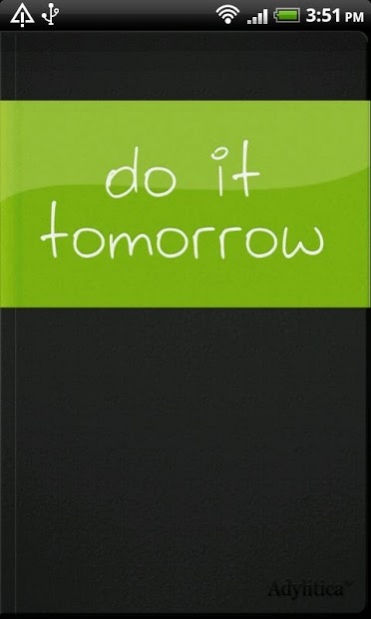


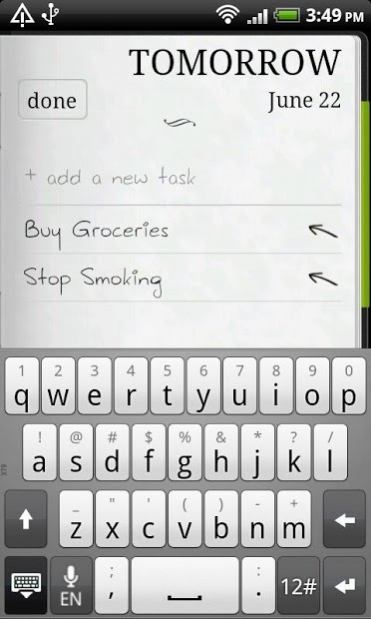
Do you love procrastinating? Why do today what you can put off till tomorrow? That's the spirit! Do it (Tomorrow) is the todo app for you.
Planning out your entire week is a bummer - Do it (Tomorrow) lets you give yourself reminders for today, but makes it really easy to push things off to tomorrow.
Features:
* Full virtual todo notebook experience
* Fastest todo entry
* Simple interface - just todo, just today and tomorrow
* Easily check off tasks as completed or delete them altogether
* Reorder and edit existing tasks
* Takes advantage of the latest hi-res displays
* Access and sync your tasks with the free web version at http://www.tomorrow.do -
* you can add tasks from Google Chrome with an easy extension
Available Widgets for your Android Home Page (via In-App Purchase)
* A 1x1 icon widget which just shows how many tasks are left for today
* A 3x3 and a 4x4 widget to show you a quick view of your tasks for today and let you add tasks quickly
★★ Important Notes: ★★
Access the Sync and Font settings by pressing the menu button on your phone
Setting up sync:
1. Press the menu button, select 'Settings'
2. Enter an email and password to protect your tasks
### NOTE To Do It Tomorrow FANS! ###
Thanks a lot for your support and for the nice reviews! You are all awesome!
We listen to you and are working on adding features you are missing!
Reviewing the app helps us a lot, so thanks for the feedback and supporting Do It (Tomorrow)!
If you want to talk to us directly or support the App, find us on Facebook: http://facebook.com/todoApp and Twitter: http://twitter.com/todoTomorrow
About Do it (Tomorrow)
The company that develops Do it (Tomorrow) is Adylitica, Inc.. The latest version released by its developer is 2.3.5.
To install Do it (Tomorrow) on your Android device, just click the green Continue To App button above to start the installation process. The app is listed on our website since 2014-11-03 and was downloaded 0 times. We have already checked if the download link is safe, however for your own protection we recommend that you scan the downloaded app with your antivirus. Your antivirus may detect the Do it (Tomorrow) as malware as malware if the download link to com.adylitica.android.DoItTomorrow is broken.
How to install Do it (Tomorrow) on your Android device:
- Click on the Continue To App button on our website. This will redirect you to Google Play.
- Once the Do it (Tomorrow) is shown in the Google Play listing of your Android device, you can start its download and installation. Tap on the Install button located below the search bar and to the right of the app icon.
- A pop-up window with the permissions required by Do it (Tomorrow) will be shown. Click on Accept to continue the process.
- Do it (Tomorrow) will be downloaded onto your device, displaying a progress. Once the download completes, the installation will start and you'll get a notification after the installation is finished.
Program Details
System requirements
Download information
Pricing
Version History
version 2.3.5
posted on 2014-11-03
Reminder: turn on sync in settings, this will backup your tasks and auto-restore in the case of any problems. Also allows access your tasks at www.tomorrow.do.
Version 2.3.5 Fix issues with restoring purchased widgets
Version 2.3.4 brings high resolution graphics for new phones and in-app-billing 3.0
Version 2.3.3 brings some widget fixes and google sync improvements
Please stay tuned for updates - via http://facebook.com/todoapp or http://twitter.com/todotomorrow
version 2.3.3
posted on 2012-12-25
Several fixes and updates
Disclaimer
External Download
We do not host Do it (Tomorrow) on our servers. We did not scan it for viruses, adware, spyware or other type of malware. This app is hosted by Galad and passed their terms and conditions to be listed there. We recommend caution when installing it.
The APK Download link for Do it (Tomorrow) is provided to you by apps112.com without any warranties, representations or guarantees of any kind, so access it at your own risk.
If you have questions regarding this particular app contact the publisher directly. For questions about the functionalities of apps112.com contact us.
